
Integrating audio branding into modern web interfaces offers an exciting way to build emotional connections with your digital audience. For a long time, web developers focused purely on visual layouts, color palettes, and typography to express corporate brand identities.
However, relying solely on static visual elements often leaves digital platforms feeling cold, distant, and visually predictable to online visitors. Audio branding solves this sensory gap by introducing subtle sound logos, ambient feedback tones, and interactive chime effects directly into user interaction loops.
Modern web browsers handle high-fidelity Web Audio API scripts effortlessly without causing page loading lag or audio stuttering on mobile screens. Combining delicate acoustic feedback with clear visual actions reinforces brand recognition while making digital interactions feel tangible, responsive, and satisfying.
By blending thoughtful sound engineering with user-friendly web layouts, you transform ordinary web browsing into a memorable multisensory brand journey. Forward-thinking digital agencies actively adopt custom audio UI triggers to build distinct digital products that stand out in competitive online markets.
Upgrading your visual design toolkit with subtle sound feedback establishes an inviting visual and acoustic environment early in your development process. It creates an immersive digital ecosystem that works continuously to guide user focus, confirm actions, and elevate total customer satisfaction.
A. Design Subtle Micro Interactions Sound Tones To Confirm User Actions Cleanly
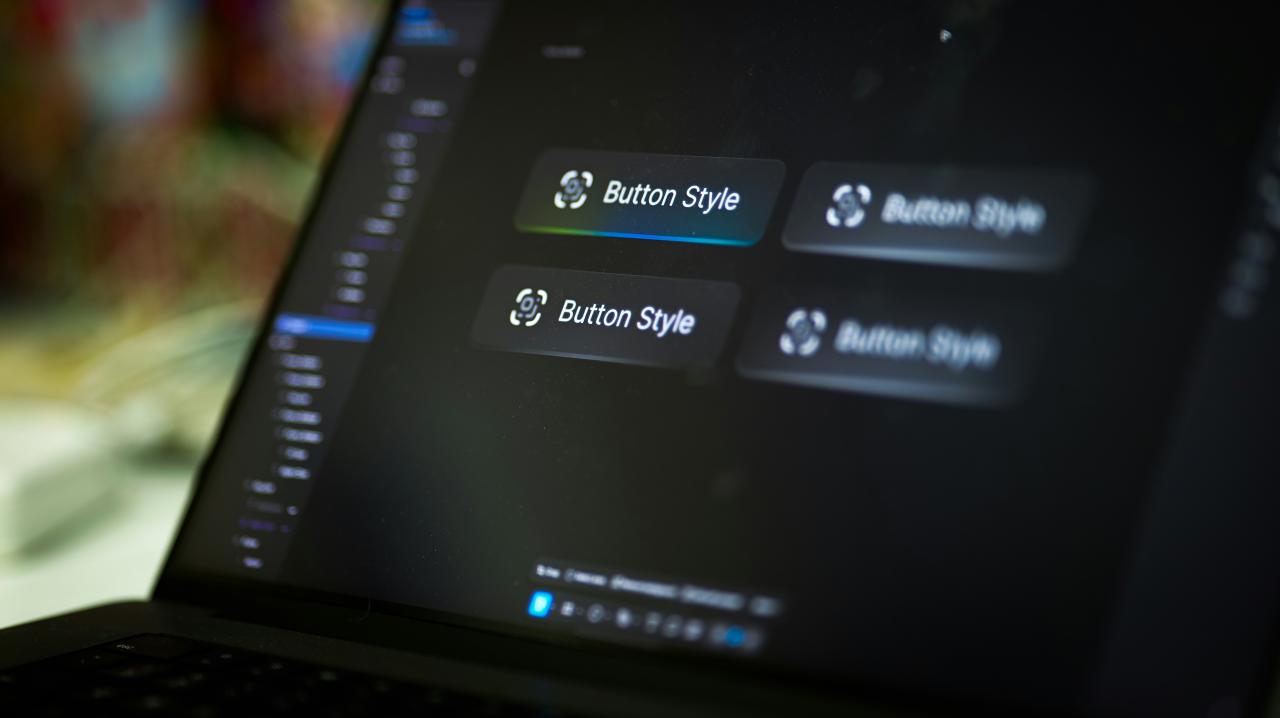
Designing subtle audio tones for micro interactions allows web creators to provide instant acoustic feedback whenever visitors tap buttons or submit forms. Blaring loud audio effects without volume control frustrates users instantly, causing them to mute their devices or leave your site completely.
Utilizing soft, organic sound pulses with low decibel levels creates a satisfying tactile feel that confirms user clicks without disturbing nearby people. Programming gentle acoustic triggers for successful form entries or card toggles reassures readers that their online actions registered accurately.
Integrating quiet interactive sound effects transforms mechanical web clicking, turning routine page navigation into a polished, responsive user experience for everyone.
Web users routinely feel uncertain when clicking interactive flat buttons yields no visual or auditory confirmation on silent screens.
From my perspective, you can easily eliminate action uncertainty by pairing soft, low-frequency click sounds with primary action buttons across your site. Playing a delicate, warm chime upon successful form submission reassures visitors instantly without forcing them to hunt for small visual confirmation text.
This micro audio feedback strategy solves your user interaction doubts completely, delivering a responsive browsing experience that feels satisfying and crisp. It provides a refined sensory layer that makes your digital application feel modern, attentive, and thoroughly high-end.
B. Implement Dynamic Soundscapes To Enhance Interactive Brand Storytelling
Implementing dynamic ambient soundscapes enables digital platforms to adapt background audio elements based on how far visitors scroll down your page. Static silence across long landing pages can make deep reading feel tedious, while continuous intrusive background music quickly overwhelms reader focus.
Fading subtle, generative background tones gently as users explore different product sections creates an immersive narrative atmosphere that holds audience interest naturally.
Tying audio frequency shifts directly to user scroll position guides visual attention toward key feature highlights and promotional story banners smoothly. Harnessing dynamic background audio elevates visual content, turning long-form page reading into an engaging cinematic journey that captivates every reader.
Content creators frequently suffer from high bounce rates when flat, quiet landing pages fail to create atmospheric immersion for readers.
I observe that you can smoothly resolve reader disinterest by adding ambient, scroll-reactive background audio layers that shift pitch as users explore content. Fading gentle sound textures softly behind major section headers keeps visitors mentally engaged as they scroll deeper down your page layout.
This dynamic soundscape method solves your bounce rate challenges perfectly, offering an inviting acoustic backdrop that supports written content without distracting eyes. It delivers an innovative storytelling framework that elevates brand perception while keeping reader focus firmly on primary visual messages.
C. Provide Intuitive Audio Controls To Protect Individual User Comfort
Providing clear, accessible audio control toggles guarantees that site visitors manage sound playback preferences according to their immediate surroundings. Forcing loud, unmuted autoplay sound effects onto users browsing in quiet offices or public spaces causes immediate panic and site abandonment.
Placing a prominent mute button in your top navigation header allows readers to toggle sound effects on or off with a single tap. Remembering individual user audio preferences through local browser storage ensures your site respects quiet settings on repeat visits automatically.
Respecting user acoustic boundaries protects brand trust, proving that custom audio integration can coexist harmoniously with total user control everywhere.
Online visitors quickly exit web pages when unexpected autoplay audio blasts through speakers without visible, fast mute controls on screen.
The truth is that placing an obvious sound toggle switch in your top header gives users complete control over their acoustic experience. Saving user mute preferences across page visits prevents unexpected sound playback, ensuring a respectful browsing environment for every single visitor.
This audio governance policy solves your user annoyance worries completely, building immediate goodwill while preserving your creative sound options for willing listeners. It establishes a thoughtful UX standard that balances rich sensory design with absolute respect for personal user comfort.
D. Layer Spatial Audio Effects To Build Realistic Digital Depth
Layering spatial audio effects across dynamic canvas interfaces creates three-dimensional sound depth that matches the physical placement of visual objects on screen. Flat mono sound effects sound synthetic and dated, failing to reflect the modern visual motion of floating cards and sliding modal windows.
Utilizing the Web Audio API to pan sound effects left or right based on cursor location creates a natural acoustic environment that feels physical. Moving sound effects in sync with animated visual elements helps users track dynamic interface changes across wide desktop monitors effortlessly.
Constructing multi-dimensional audio spaces enhances visual navigation, helping visitors process complex screen layouts through intuitive spatial sound cues.
Complex web interfaces often confuse users when visual animations occur off-screen without clear spatial audio cues to direct visitor attention.
I believe that panning subtle sound effects horizontally to match moving screen elements directs user gaze naturally toward active layout changes. Pairing directional audio cues with sliding side panels gives visual animations a clear physical presence that feels intuitive and grounded.
This spatial audio setup solves your screen navigation confusion completely, guiding user attention toward newly opened content drawers without visual clutter. It establishes an advanced interaction model that makes browsing complex web applications feel effortless, physical, and deeply satisfying.
E. Optimize Audio File Compressed Formats To Guarantee Instant Page Loading
Optimizing compressed audio file assets guarantees that custom UI sound effects load instantly without causing bandwidth lag or delay on mobile hardware. Uncompressed WAV audio files strain network connections, delaying page loading times and creating noticeable pauses before sound effects play after clicks.
Converting raw audio files into lightweight WebM or AAC formats cuts file sizes drastically while maintaining crisp sound fidelity across all devices. Preloading tiny audio sprites into browser memory ensures interactive click sounds play with zero latency whenever users tap buttons.
Prioritizing performance engineering protects site speed, proving that expressive audio branding can exist alongside lightning-fast page loading speeds everywhere.
Mobile users routinely abandon creative web applications when heavy sound assets cause choppy page scrolling and delayed click feedback responses.
You can easily fix audio playback lag by converting all UI sound assets into compressed audio sprites preloaded directly into device memory. Storing small audio effects inside a single lightweight file ensures instantaneous sound playback without triggering separate network requests on every user tap.
This asset optimization strategy solves your speed worries completely, keeping your digital platform fast, light, and hyper-responsive everywhere. It demonstrates smart engineering care that preserves mobile battery life while delivering a rich sensory interface to every visitor.
Conclusion

Integrating audio branding into web interfaces provides the ultimate strategy for building warm, memorable, and highly engaging digital products today. This multisensory design approach removes visual boredom by replacing silent flat layouts with responsive micro tones, ambient soundscapes, and spatial audio feedback.
You can build exceptionally creative, user-friendly, and acoustically rich web applications with total confidence by adopting these modern audio workflows. Designing subtle micro interactions sound tones confirms user actions cleanly, reassuring visitors that form submissions and button clicks registered accurately without noise.
Implementing dynamic soundscapes enhances interactive brand storytelling, keeping readers engaged as background audio tones shift softly during page scrolling actions. Trust these native browser audio tools to elevate your brand identity while keeping your site fast, accessible, and completely user-controlled.
Providing intuitive audio controls protects individual user comfort, allowing visitors to mute sound effects instantly according to their immediate physical environment. Layering spatial audio effects builds realistic digital depth, guiding user eyes toward active visual card updates across wide desktop screens naturally.
Optimize audio file compressed formats to protect mobile network bandwidth, ensuring instant acoustic feedback without causing annoying site loading lag. Executing these audio branding strategies transforms your web interface, producing an outstanding digital product that performs flawlessly everywhere.